Shop for Plans
Shop for your own coverage
- Medical
- Dental
- Other Supplemental
-
(Cancer Treatment, Hospital Indemnity, and more)
Plans through your employer
- Learn about the medical, dental, pharmacy, behavioral, and voluntary benefits your employer may offer.
- Explore coverage through work
Learn
- How to Buy Health Insurance
- Types of Dental Insurance
- Open Enrollment vs. Special Enrollment
- See all topics
Living or working abroad?
- Shop for international insurance plans
Shop for Plans
Shop for Plans
Have questions about enrollment and eligibility, or getting started with your Cigna Healthcare® plan? We can help. Contact us
Questions about your plan, covered services, or an unexpected medical bill? We can help. Contact us
Using Your Cigna Healthcare Plan
A comprehensive member guide packed with information on how to use your plan to its fullest, now and throughout the year.

Welcome to Cigna Healthcare
It’s easy to get started using your plan.
Alaska residents: If you are having difficulties with claims, reimbursement, coverage eligibility, or to access your ID card, please log in to myCigna for 24/7 access to your account or to contact us.
Activate your myCigna® account
Activate your account on myCigna.1 Even if your plan is not fully active yet, you can get started with some of myCigna’s features. It’s quick and easy and the best way to manage your plan.
Learn more about myCignaWith myCigna you can:
- Find in-network doctors, care, and cost estimates
- Get access to verified patient reviews from other Cigna Healthcare members
- Connect with virtual care (telehealth) providers, 24/7
- Print or view your ID card
- Manage prescriptions or find a pharmacy
- Available in English and Spanish
Get the myCigna mobile app2 and stay connected anywhere
Instant access to your health care data.
The myCigna app uses one-touch access, making it easy for you to update your profile settings and personalize, organize, and access your health information on the go. Awarded Best Digital Experience for Commercial Health Plan Member Satisfaction, two years in a row by JD Power.*
Download the app today.


Manage Your Plan With myCigna
All aspects of your plan are available on myCigna®. See who's covered, what's covered, your claims, health and wellness programs, and more.
Alaska residents: If you are having difficulties with claims, reimbursement, coverage eligibility, or to access your ID card, please log in to myCigna for 24/7 access to your account or to contact us.
Get the myCigna mobile app1 and stay connected anywhere
Instant access to your health care data.
The myCigna app uses one-touch access, making it easy for you to update your profile settings and personalize, organize, and access your health information on the go. Awarded Best Digital Experience for Commercial Health Plan Member Satisfaction, two years in a row by JD Power.*
Download the app today.
Log in to myCigna to manage your plan:
Your digital ID cards go everywhere you do
You may not automatically receive medical, vision, and pharmacy ID cards in the mail at the beginning of your plan year.
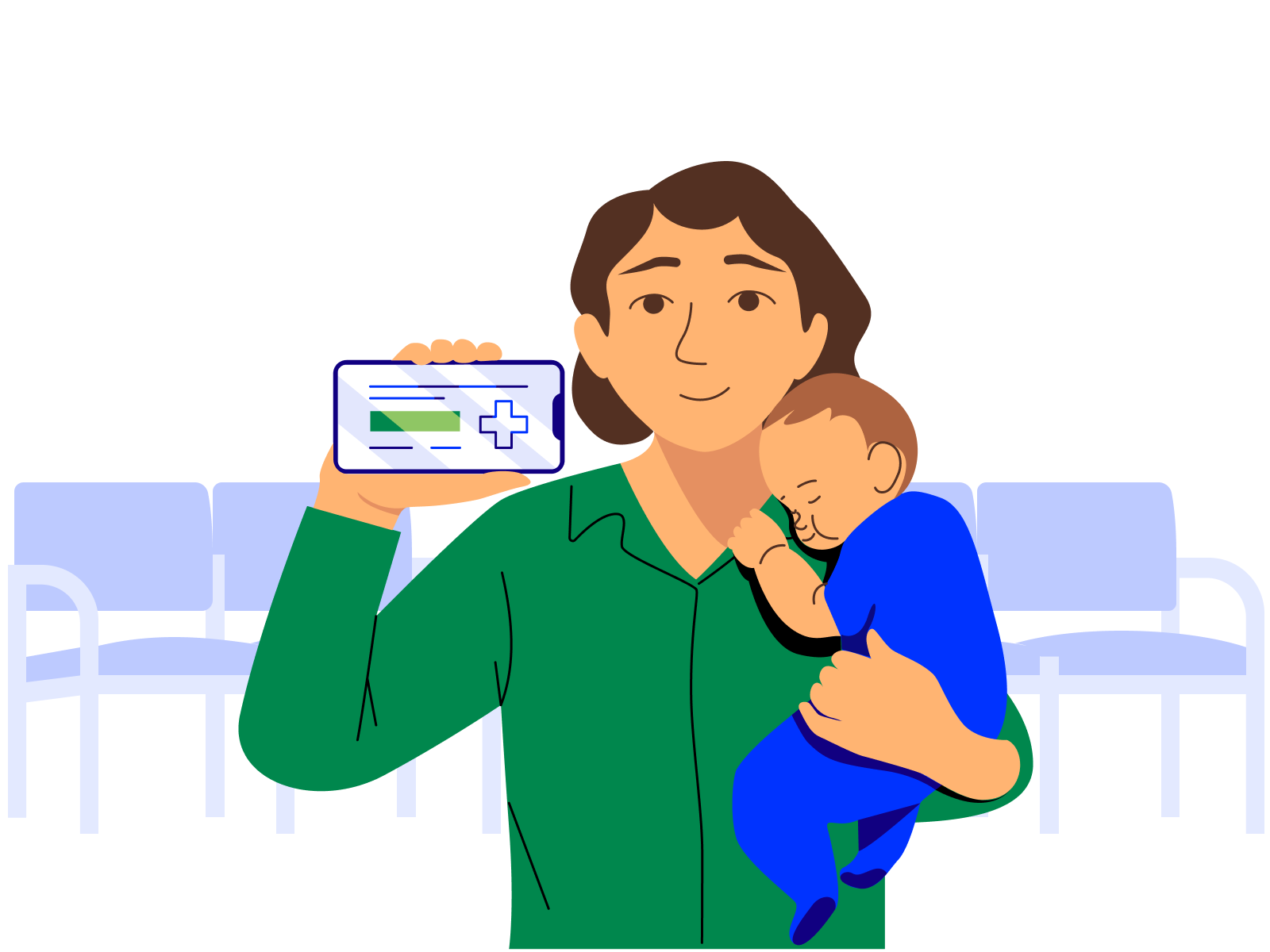
You have immediate access to your digital ID cards and proof of coverage anytime you need them, right from myCigna.com or the mobile app.
How to use them
Digital ID cards can be easily shared: Download the card image to save, share, print, or email to dependents or providers as needed. On your mobile device, you can add your ID card to your Apple Wallet® or Google Wallet™.
Providers will have different ways to process digital ID cards.
You can:
- Show your ID card on your phone screen at the provider's office
- Save an image and email it to them from your secure myCigna inbox
- Print an ID card to give to them
Your digital ID cards go everywhere you do
You may not automatically receive medical, vision, and pharmacy ID cards in the mail at the beginning of your plan year.
You have immediate access to your digital ID cards and proof of coverage anytime you need them, right from myCigna.com or the mobile app.
How to use them
Digital ID cards can be easily shared: Download the card image to save, share, print, or email to dependents or providers as needed. On your mobile device, you can add your ID card to your Apple Wallet® or Google Wallet™.
Providers will have different ways to process digital ID cards.
You can:
- Show your ID card on your phone screen at the provider's office
- Save an image and email it to them from your secure myCigna inbox
- Print an ID card to give to them
Why digital ID cards?
- Digital ID cards contain all the same information as a physical ID card.
- They are never lost or stolen—they are only accessible through your secure myCigna account.
Introduction to Digital ID Cards
Discover how easy it is to access digital ID cards and share with your providers. (Length: 00:00:42)

Accessing Your Digital ID Cards
Learn more about how to access your digital ID cards with your myCigna account. (Length: 00:01:36)

Sharing Your Digital ID Cards
Find out how to store and share your digital ID cards with your digital wallet or directly from the app. (Length: 00:01:24)
Introduction to Digital ID Cards
Accessing Your Digital ID Cards
Sharing Your Digital ID Cards
Getting Care
Get virtual, in-person, or immediate care
Virtual care (telehealth)3
Your plan provides access to medical, mental health, and wellness virtual care (telehealth) options so you have access to care 24/7.
Activate your myCigna account to set up virtual care or learn more about our virtual care services.
Virtual care (telehealth)2
Your plan provides access to medical, mental health, dermatology, dental, and wellness virtual care (telehealth) options so you have access to care 24/7.
Set up virtual care or learn more about our virtual care services.
Schedule your preventive care—it’s no additional cost to you
Preventive care is covered 100% by your plan when you go to in-network doctors and providers. This benefit, alone, can save you hundreds of dollars a year.
Preventive care usually includes:
Your annual check-up
Flu shots
Most routine screenings and vaccinations
Includes eligible in-network preventive care services. Some preventive care services may not be covered, including most immunizations for travel. Reference plan documents for a list of covered and non-covered preventive care service.
Schedule your preventive care—it’s no additional cost to you
Preventive care is covered 100% by your plan when you go to in-network doctors and providers. This benefit, alone, can save you hundreds of dollars a year.
Preventive care usually includes:
Your annual check-up
Flu shots
Most routine screenings and vaccinations
Includes eligible in-network preventive care services. Some preventive care services may not be covered, including most immunizations for travel. Reference plan documents for a list of covered and non-covered preventive care service.
What about getting other kinds of medical care and services?
For visits with doctors and providers for medical issues that are not preventive, here are some tips:
- If required by your plan, get a referral from your Primary Care Provider (PCP)
- Go to in-network doctors, specialists, hospitals, and facilities
- Know how your plan covers you for non-preventive care and services
- Track where you are with your deductible and coinsurance, if they apply
Activate your myCigna account to view details of your coverage and covered services.
Find out what to expect before, during, and after a doctor visit.
What about getting other kinds of medical care and services?
For visits with doctors and providers for medical issues that are not preventive, here are some tips:
- If required by your plan, get a referral from your Primary Care Provider (PCP)
- Go to in-network doctors, specialists, hospitals, and facilities
- Know how your plan covers you for non-preventive care and services
- Track where you are with your deductible and coinsurance, if they apply
View details of your coverage and see a list of covered services
Find out what to expect before, during, and after a doctor visit.
Not sure what type of care you need?
Talk to a health advocate at no additional cost. Call
Benefits of a Primary Care Provider (PCP)
There are many benefits of choosing a PCP, including preventive care and helping to manage and improve your overall health.
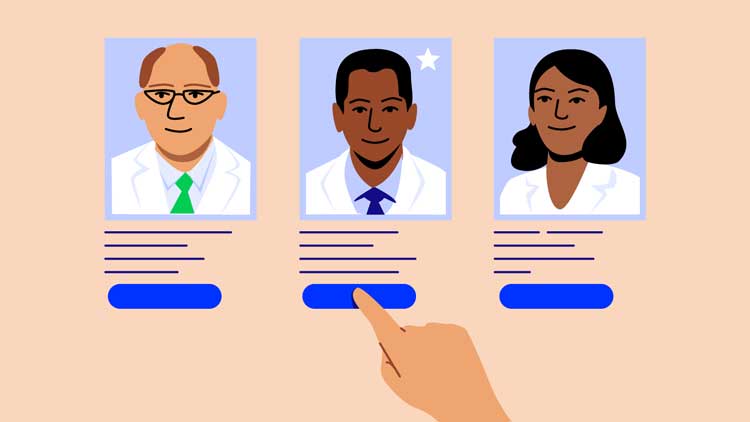
Finding a PCP
Are you looking for a PCP? This short video shows you how to log in or register on myCigna to search for a PCP and specialists. (Length: 00:02:23)
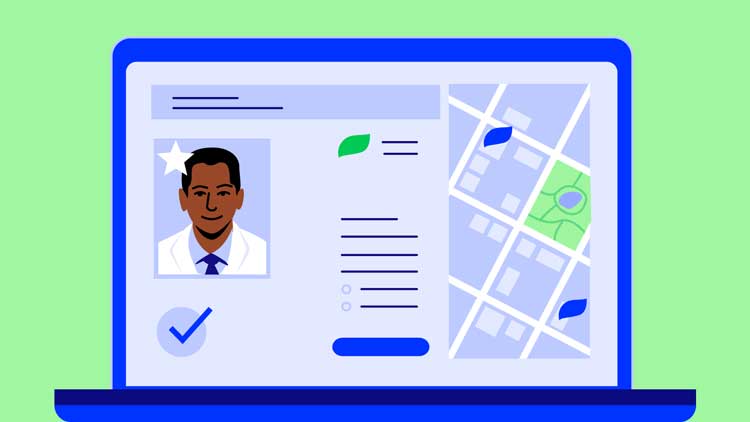
Checking PCP Profiles
PCP profiles on myCigna include an overview of each providers’ specialties and patient ratings, so you can review and compare to find someone that fits your needs. (Length: 00:01:16)
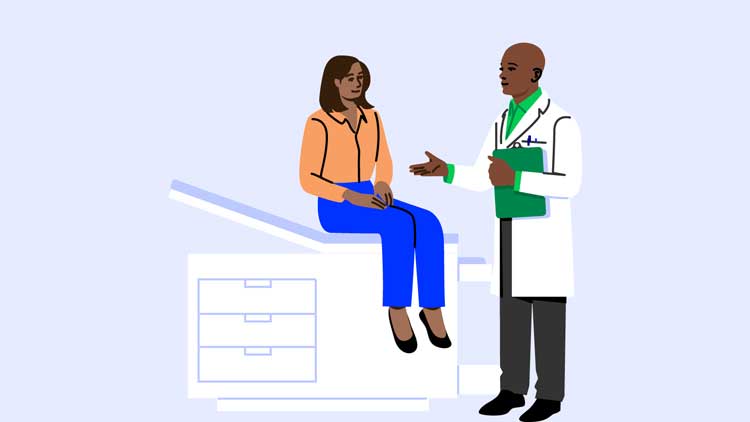
Building a Relationship with a PCP
Building a relationship with your PCP and visiting them regularly allows them to become familiar with your personal medical history and make recommendations. (Length: 00:01:35)
Finding a PCP
Checking PCP Profiles
Building a Relationship with a PCP
Need immediate care?
If you need to see a doctor right away, you have options depending on the type of medical care needed.4
Convenience Care Clinics
When you need face-to-face medical attention for minor illnesses (flu shots, vaccines, allergies, etc.) but can’t wait for an appointment, a Convenience Care Clinic (walk-in clinic) is your best bet for immediate, affordable care.
Urgent Care Centers
If you need medical attention for a non-emergency medical condition (back pain, colds and flu, broken bones, etc.), an Urgent Care Center typically costs less than the ER with shorter wait times.
Emergency Room (ER)
If you have a life-threatening medical condition, were in a serious accident, or suddenly become ill, go to the Emergency Room. This is typically the most expensive option and reserved for emergencies only.
Need immediate care?
If you need to see a doctor right away, you have options depending on the type of medical care needed.
Convenience Care Clinics
When you need face-to-face medical attention for minor illnesses (flu shots, vaccines, allergies, etc.) but can’t wait for an appointment, a Convenience Care Clinic (walk-in clinic) is your best bet for immediate, affordable care.
Urgent Care Centers
If you need medical attention for a non-emergency medical condition (back pain, colds and flu, broken bones, etc.), an Urgent Care Center typically costs less than the ER with shorter wait times.
Emergency Room (ER)
If you have a life-threatening medical condition, were in a serious accident, or suddenly become ill, go to the Emergency Room. This is typically the most expensive option and reserved for emergencies only.
|
Convenience Care Clinics
|
Urgent Care Centers
|
Emergency Room (ER)
|
Virtual Care (Telehealth)
|
|
|---|---|---|---|---|
| Cost |
|
|
|
|
| Wait Times |
|
|
|
|
| Severity |
|
|
|
|
| Symptoms Treated |
Allergies
Vaccines (flu, shingles, COVID) Minor burns and skin conditions Sinus and ear infections |
Nausea and diarrhea
Minor cuts and broken bones Back and joint pain |
Trouble breathing
Heart attack and stroke Sudden illness and serious accidents Severe bleeding |
Allergies
Fever, colds, and flu Skin conditions Most infections |
This information is for educational purposes only. It isn't medical advice and does not replace care from a physician. Cigna Healthcare isn't responsible for issues due to the use, misuse, interpretation or application of this information. Always ask your provider for appropriate examinations, treatment, testing, and care recommendations, including when you choose another provider for care.
|
Convenience Care Clinics
|
Urgent Care Centers
|
Emergency Room (ER)
|
Virtual Care (Telehealth)
|
|
|---|---|---|---|---|
| Cost |
|
|
|
|
| Wait Times |
|
|
|
|
| Severity |
|
|
|
|
| Symptoms Treated |
Allergies
Vaccines (flu, shingles, COVID) Minor burns and skin conditions Sinus and ear infections |
Nausea and diarrhea
Minor cuts and broken bones Back and joint pain |
Trouble breathing
Heart attack and stroke Sudden illness and serious accidents Severe bleeding |
Allergies
Fever, colds, and flu Skin conditions Most infections |
This information is for educational purposes only. It isn't medical advice and does not replace care from a physician. Cigna Healthcare® isn't responsible for issues due to the use, misuse, interpretation or application of this information. Always ask your provider for appropriate examinations, treatment, testing, and care recommendations, including when you choose another provider for care.
Employee Assistance Program (EAP) - Real support for real life
If you purchase a plan through an employer**, you and anyone in your household has access to our Employee Assistance Program (EAP).5 Connect with licensed clinicians to help with emotional wellness, mental health, and other issues you may be experiencing such as help with finding elder care, caregiver support, pet care, and more.
Learn more about EAP services that may be available to you.
Employee Assistance Program (EAP) - Real support for real life
If you purchase a plan through an employer**, you and anyone in your household has access to our Employee Assistance Program (EAP).3 Connect with licensed clinicians to help with emotional wellness, mental health, and other issues you may be experiencing such as help with finding elder care, caregiver support, pet care, and more.
Learn more about EAP services that may be available to you.
Find, compare, and choose a dentist
If your plan includes dental coverage, you’ll have access to a large nationwide network. See any dentist you'd like, but you'll save more with a dentist in the Total or Advantage Networks.
Dentist Ratings
$0 Preventive Care
Verified Patient Reviews
Find, compare, and choose a dentist
If your plan includes dental coverage, you’ll have access to a large nationwide network. See any dentist you'd like, but you'll save more with a dentist in the Total or Advantage Networks.
Dentist Ratings
$0 Preventive Care
Verified Patient Reviews
Activate your myCigna account to get access to all of the above, or search for dentists using our public directory.
Get paid for dental services that treat gum disease
Our Dental Oral Health Integration Program is a no additional cost program that pays back your out-of-pocket costs (up to your plan’s maximum) for specific dental services that treat gum disease and tooth decay.8 Simply register for the program first before getting care from your dentist.
You qualify for the program if you're currently being treated for:
Get paid back for dental services that treat gum disease
Our Dental Oral Health Integration Program is a no additional cost program that pays back your out-of-pocket costs (up to your plan’s maximum) for specific dental services that treat gum disease and tooth decay.6 Simply register for the program first before getting care from your dentist.
You qualify for the program if you're currently being treated for:
- Chronic Kidney Disease
- Diabetes
- Head and Neck Cancer Radiation
- Heart Disease
- Maternity
- Organ Transplant
- Stroke
- Rheumatoid Arthritis
- Sjogren's Syndrome
- Lupus
- Parkinson's Disease
- Amyotrophic Lateral Sclerosis (ALS)
- Huntington's Disease
- Opioid Misuse and Addiction
Activate your myCigna account to view covered dental services and see if you're eligible for this program.
See covered dental services and if you're eligible for this program.
Continuity of Care
Is your doctor leaving your plan's network?
If so, and you're actively receiving treatment, you can apply for Continuity of Care. If approved, this may allow you to continue with your treatment or procedure with your health care provider at an in-network coverage level.

Starting a new plan? Avoid gaps in care.
You may be able to continue to receive services for certain medical and behavioral conditions at an in-network coverage level, even if your current health care provider isn’t in your new plan’s network. Apply for Transition of Care to determine if you are eligible.
To apply for either Continuity of Care or Transition of Care, go to Customer Forms. These forms are under the Medical section.
To apply for either Continuity of Care or Transition of Care, go to Forms Center. These forms are under the Medical section.
Manage Prescriptions
Your plan may offer convenient, cost-saving programs and services including home delivery pharmacy, specialty medications through Accredo®, a Cigna Healthcare specialty pharmacy, access to thousands of in-network retail pharmacies, and more.
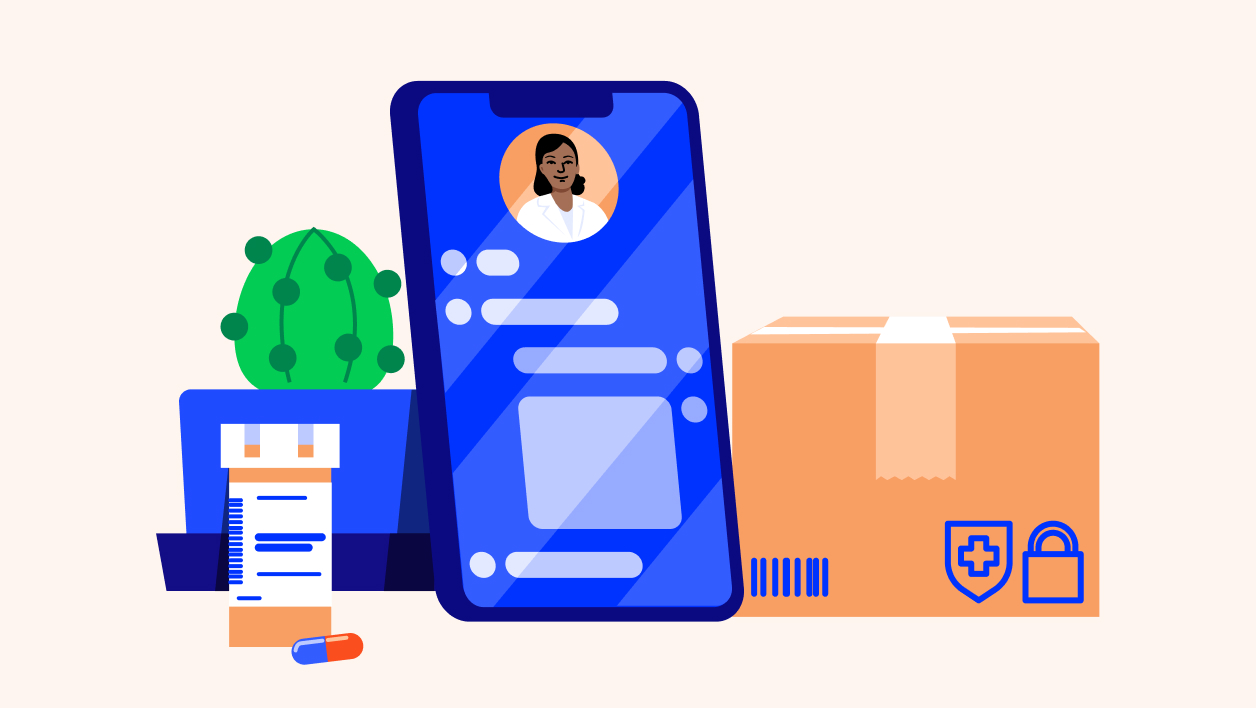
Make the Most of Your Cigna Healthcare Pharmacy Benefits
Make the Most of Your Cigna Healthcare Pharmacy Benefits
Home Delivery with Express Scripts Pharmacy
Your Cigna Healthcare plan could include access to home delivery with Express Scripts Pharmacy®. It’s convenient, secure, and free for medications you’re taking on a regular basis.9
Features of this service, include:
90-day supply
24/7 access
Auto refills
Home Delivery with Express Scripts Pharmacy
Your Cigna Healthcare plan could include access to home delivery with Express Scripts Pharmacy®. It’s convenient, secure, and free for medications you’re taking on a regular basis.7
Features of this service, include:
90-day supply8
24/7 access
Auto refills
Activate your myCigna account to manage your prescriptions (if applicable) or learn more about home delivery.
Take any specialty medications?
As part of your Cigna Healthcare-administered pharmacy benefits, you may have access to Accredo, a Cigna Healthcare specialty pharmacy.11
If you have a complex medical condition such as multiple sclerosis, hepatitis C, or rheumatoid arthritis, Accredo can fill and deliver your specialty medication to your home (or location of your choice).12
Learn more about specialty medications
Prescription cost and coverage tools
Price your medications
Use the Price a Medication tool on myCigna13 to look up medications covered by your plan, find low cost alternatives, network pharmacies, and more.
Activate your myCigna account to look up drugs and costs.
Prescription drug lists
Price your medications
Use the Price a Medication tool on myCigna12 to look up medications covered by your plan, find low cost alternatives, network pharmacies, and more.
Visit Price a Medication to look up drugs and costs.
Prescription drug lists
Claims and Accounts
Manage your claims
You just got back from a doctor’s visit, now what? In most cases, your in-network doctor will submit a claim for you. Once Cigna Healthcare reviews your claim, you’ll receive an explanation of benefits (EOB) document that shows you the cost for each service, what your plan covered, and any other costs that you may have to pay. Manage your claims with the following:
View Claims and EOBs
Submit a Claim Online
Pay Claims
Activate your myCigna account to view, manage, or submit a claim or learn more about claims and EOBs

What Is an EOB?
Learn what an EOB is, how it works, and how we help you understand your health care costs. (Length: 00:01:58)
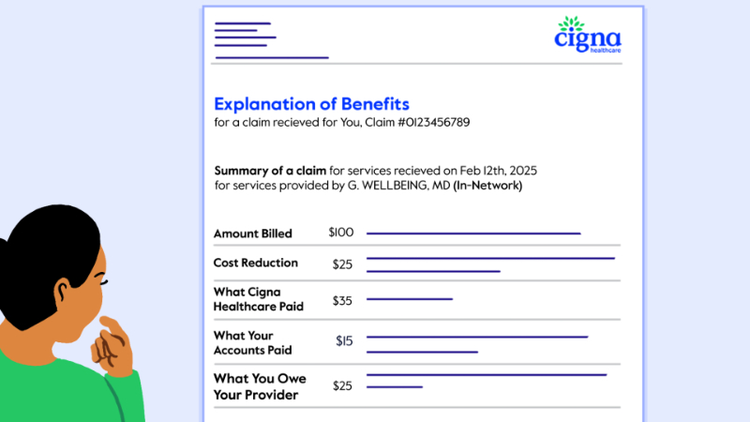
What Is Included in an EOB?
Find out what costs and payments are listed in your EOB as well as how to check if your health plan covered your services. (Length: 00:02:01)
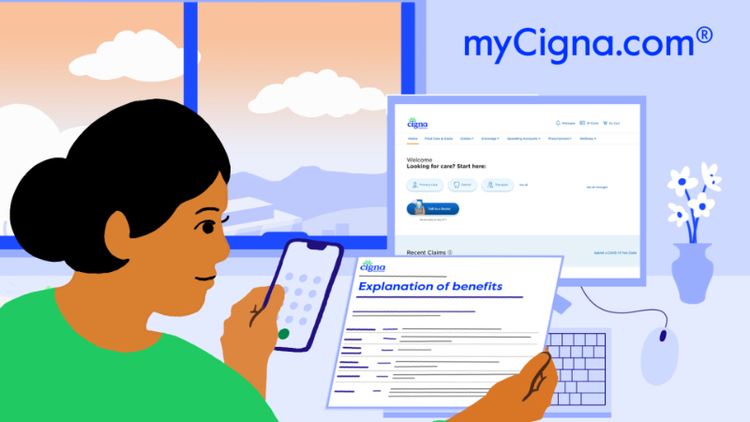
Working Through an EOB
Learn how to read your EOB and find out what you owe after your health plan and savings accounts paid their part. (Length: 00:01:21)
What Is an EOB?
What Is Included in an EOB?
Working Through an EOB
Pay medical expenses with a spending account
If your plan includes a health care spending account, you can use it to help pay eligible health care expenses.
Find out how to use a HSA, HRA, and FSA
View a list of eligible expenses
Not sure if your specific plan includes a spending account? Log in to myCigna to find out.
Health and Wellness Programs and Services
If you’re being offered a Cigna Healthcare plan through your employer, you may have access to additional programs and services to help make your life easier and healthier. Activate your myCigna account today and get started with these programs:
If you’re being offered a Cigna Healthcare plan through your employer, you may have access to additional programs and services to help make your life easier and healthier.

Incentive Awards Program14

Healthy Pregnancies, Healthy Babies Program

Lifestyle Management Programs
Incentive Awards Program13
View available incentives
Healthy Pregnancies, Healthy Babies Program
Log in to get started
Lifestyle Management Programs
Connect with a health coach
Plan Documents and Forms
* Cigna Healthcare received the highest score in the Commercial Member Health Plan segment of the JD Power 2025 & 2026 U.S. Healthcare Digital Experience Study of customers’ overall satisfaction with healthcare websites and mobile apps. Visit jdpower.com/awards for more details.
** Not available if you have purchased your own insurance.
1 Customers under age 13 (and/or their parent/guardian) will not be able to register at myCigna.com.
2 App/online store terms and mobile phone carrier/data charges apply.
3 Cigna Healthcare provides access to virtual care through participating in-network providers. Not all providers have virtual capabilities. Cigna Healthcare also provides access to virtual care through national telehealth providers as part of your plan. This service is separate from your health plan’s network and may not be available in all areas or under all plans. Referrals are not required. Video may not be available in all areas or with all providers. All health care providers are solely responsible for the treatment provided to their patients; providers are not agents of Cigna Healthcare. Refer to plan documents for complete description of virtual care services and costs.
4 This information is for educational purposes only. It's not medical advice. Talk with your health care provider when you need care recommendations. In an emergency, dial 911 or visit the nearest emergency room.
5 Employee assistance program services are in addition to, not instead of, your health plan benefits. These services are separate from your health plan benefits and do not provide reimbursement for financial losses. Program availability may vary by plan type and location, and are not available where prohibited by law.
6 Brighter features may vary by dentist. These and other dentist directory features are for educational purposes only and should not be the sole basis for decision-making. They are not a guarantee of the quality of care that will be provided to individual patients and you should consider all relevant factors when selecting a dentist.
7 Not all preventive services are covered, including athletic mouth guards. Refer to the policy for a complete list of covered and non-covered preventive services. Frequency limitations apply. Cigna Healthcare Dental plans in MD cover one dental cleaning per calendar year.
8 This program provides reimbursement for certain eligible dental procedures for customers with qualifying medical conditions. Customers must enroll in the program prior to receiving dental services to be eligible for reimbursement. Reimbursement is applied to and subject to any applicable annual benefits maximum. See your plan documents or contact Cigna Healthcare for complete program details.
9 Not all plans offer home delivery as a covered pharmacy option. Please log in to the myCigna app or website, or check your plan materials, to learn more about the pharmacies in your plan’s network.
10 Standard shipping costs are included as part of your prescription plan.
11 Not all plans offer Accredo as a covered pharmacy option. Please log in to the myCigna app or website, or check your plan materials, to learn more about the pharmacies in your plan's network.
12 As allowable by law.
13 Prices shown on myCigna are not a guarantee. Coverage falls under your plan terms and conditions. Visit myCigna for more information.
14 Healthy Rewards programs are NOT insurance. Rather, these programs give a discount on the cost of certain goods and services. The customer must pay the entire discounted cost. Some Healthy Rewards programs are not available in all states and programs may be discontinued at any time. Participating providers are solely responsible for their goods and services.
* Cigna Healthcare received the highest score in the Commercial Member Health Plan segment of the JD Power 2025 & 2026 U.S. Healthcare Digital Experience Study of customers’ overall satisfaction with healthcare websites and mobile apps. Visit jdpower.com/awards for more details.
** Not available if you have purchased your own insurance.
1 App/online store terms and mobile phone carrier/data charges apply. Children under age 13 are not permitted to register for a personal profile at myCigna.com.
2 Cigna Healthcare provides access to virtual care through participating in-network providers. Not all providers have virtual capabilities. Cigna Healthcare also provides access to virtual care through national telehealth providers as part of your plan. This service is separate from your health plan’s network and may not be available in all areas or under all plans. Referrals are not required. Video may not be available in all areas or with all providers. All health care providers are solely responsible for the treatment provided to their patients; providers are not agents of Cigna Healthcare. Refer to plan documents for complete description of virtual care services and costs.
3 Employee assistance program services are in addition to, not instead of, your health plan benefits. These services are separate from your health plan benefits and do not provide reimbursement for financial losses. Program availability may vary by plan type and location, and are not available where prohibited by law.
4 Brighter features may vary by dentist. These and other dentist directory features are for educational purposes only and should not be the sole basis for decision-making. They are not a guarantee of the quality of care that will be provided to individual patients and you should consider all relevant factors when selecting a dentist.
5 Not all preventive services are covered, including athletic mouth guards. Refer to the policy for a complete list of covered and non-covered preventive services. Frequency limitations apply. Cigna Healthcare Dental plans in MD cover one dental cleaning per calendar year.
6 This program provides reimbursement for certain eligible dental procedures for customers with qualifying medical conditions. Customers must enroll in the program prior to receiving dental services to be eligible for reimbursement. Reimbursement is applied to and subject to any applicable annual benefits maximum. See your plan documents or contact Cigna Healthcare for complete program details.
7 Not all plans offer home delivery as a covered pharmacy option. Please log in to the myCigna® App or website, or check your plan materials, to learn more about the pharmacies in your plan’s network.
8 Some medications aren’t available in a 90-day supply and may only be packaged in lesser amounts. For example, 3 packages of oral contraceptives equal an 84-day supply. Even though it’s not a “90-day supply,” it’s still considered a 90-day prescription.
9 Standard shipping costs are included as part of your prescription plan.
10 Not all plans offer Accredo as a covered pharmacy option. Please log in to the myCigna app or website, or check your plan materials, to learn more about the pharmacies in your plan's network.
11 As allowable by law.
12 Prices shown on myCigna are not a guarantee. Coverage falls under your plan terms and conditions. Visit myCigna for more information.
13 Healthy Rewards programs are NOT insurance. Rather, these programs give a discount on the cost of certain goods and services. The customer must pay the entire discounted cost. Some Healthy Rewards programs are not available in all states and programs may be discontinued at any time. Participating providers are solely responsible for their goods and services.
I want to...
Audiences
Manage Your Account
Cigna Healthcare Information
The Cigna Group Information
Disclaimer
Product availability may vary by location and plan type and is subject to change. All health insurance policies and health benefit plans contain exclusions and limitations. For costs and details of coverage, review your plan documents or contact a Cigna Healthcare representative.
All Cigna Healthcare products and services are provided exclusively by or through operating subsidiaries of The Cigna Group, including Cigna Health and Life Insurance Company, Cigna HealthCare of Arizona, Inc., Cigna HealthCare of Florida, Inc., Cigna HealthCare of Georgia, Inc., Cigna HealthCare of Illinois, Inc., Cigna HealthCare of North Carolina, Inc. and Cigna HealthCare of Texas, Inc. Group health insurance and health benefit plans are insured or administered by CHLIC, Connecticut General Life Insurance Company (CGLIC), or their affiliates (see a listing of the legal entities that insure or administer group HMO, dental HMO, and other products or services in your state). Accidental Injury, Critical Illness, and Hospital Care plans or insurance policies are distributed exclusively by or through operating subsidiaries of The Cigna Group, are administered by Cigna Health and Life Insurance Company, and are insured by either (i) Cigna Health and Life Insurance Company (Bloomfield, CT). The Cigna Healthcare name, logo, and other Cigna Healthcare marks are owned by Cigna Intellectual Property, Inc. This website is not intended for residents of New Mexico.
La aseguradora publica el formulario traducido para fines informativos y la versión en inglés prevalece para fines de solicitud e interpretación.
The insurer is issuing the translated form on an informational basis and the English version is controlling for the purposes of application and interpretation.